Brand Activator Case Study
A feature that automates pausing and re-enabling brand terms in Google Ads by syncing Adthena’s SERP intelligence with a Google Ads Script and negative keyword lists — reducing wasted spend while keeping brand protection.
End-to-end UX — Discovery, flows, UI, states, microcopy, handoff
Trust + recoverability — Automation touching Google Ads must be explainable
Setup + monitoring — Stepper, savings dashboard, activity log, notifications
The problem
Many advertisers keep brand campaigns always-on because verifying competitor presence is manual and slow. Teams resort to VPNs, colleagues in other regions, and ad-hoc screenshots — then still struggle to react quickly and consistently across dozens of terms.
Time-consuming checks, inconsistent decisions, delayed reactions.
Users need visibility into what changed, why, and how to fix issues.
Discovery: before vs after story mapping
Two flows to align stakeholders and make the value of automation tangible.
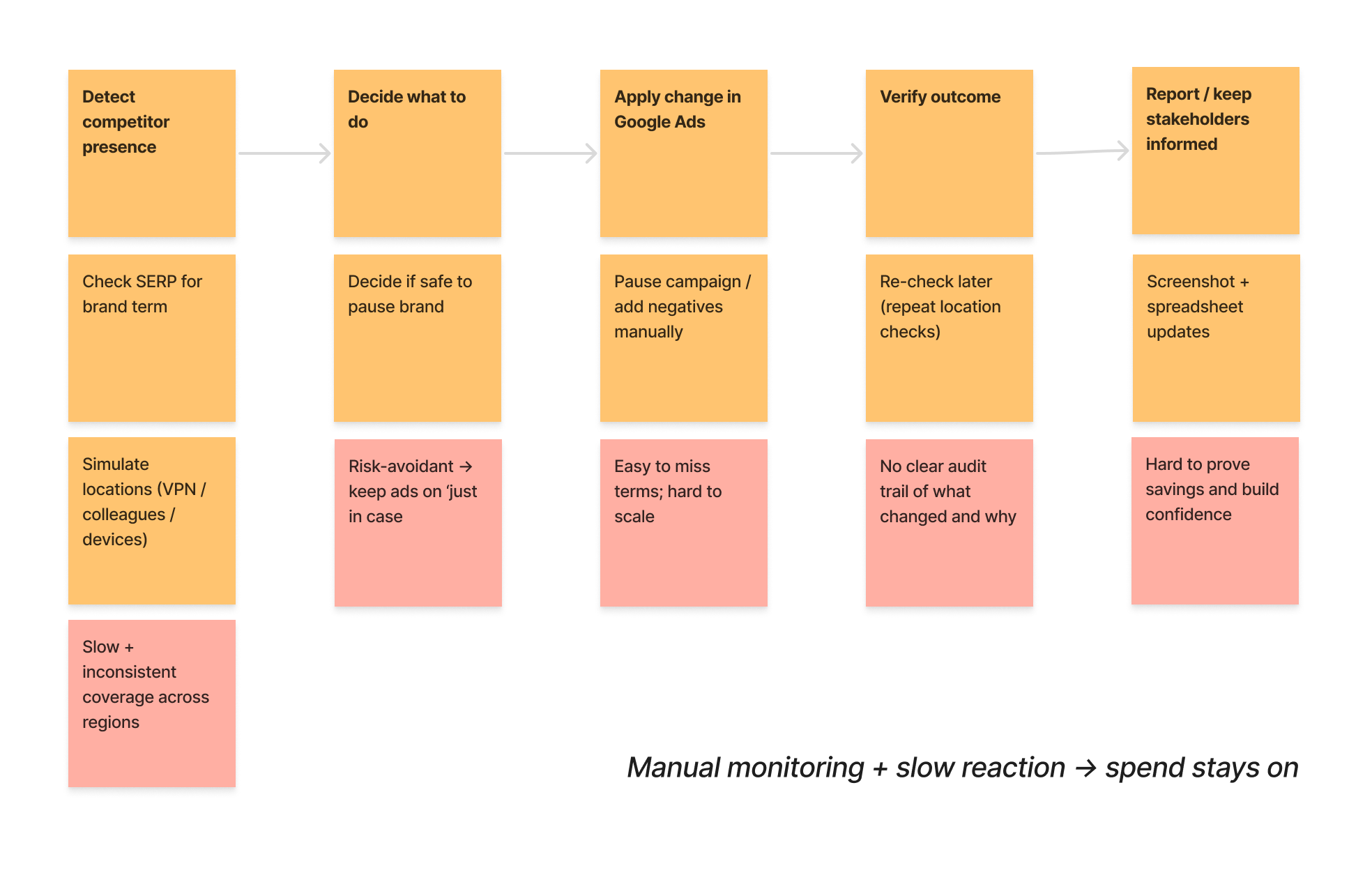
Manual SERP checks across locations, spreadsheet-driven decisions, and slow/low-confidence reactions.
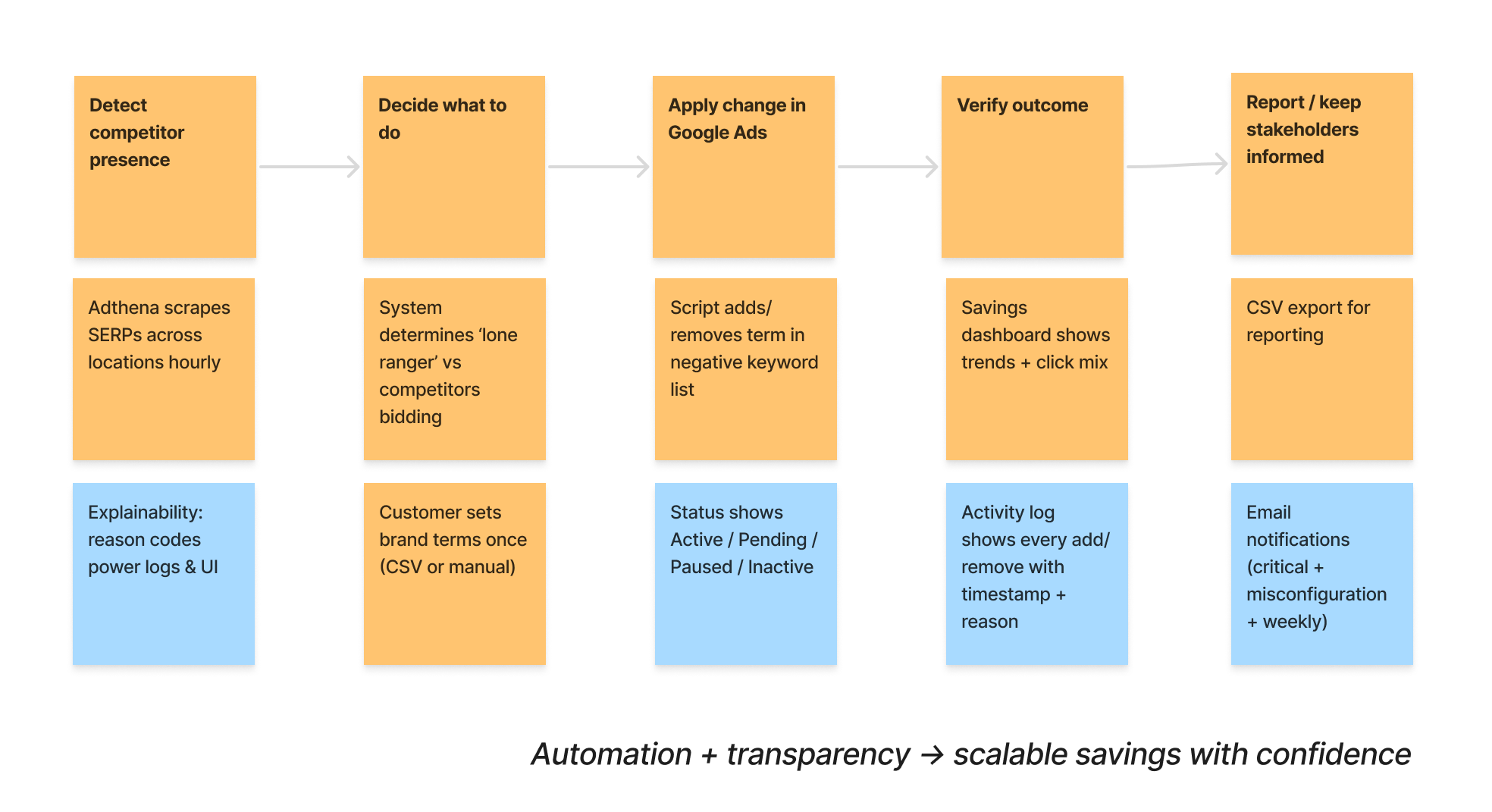
Configure terms once, run hourly checks, automatically block/unblock, and monitor outcomes with dashboards and logs.
Solution design
1) Guided setup (stepper)
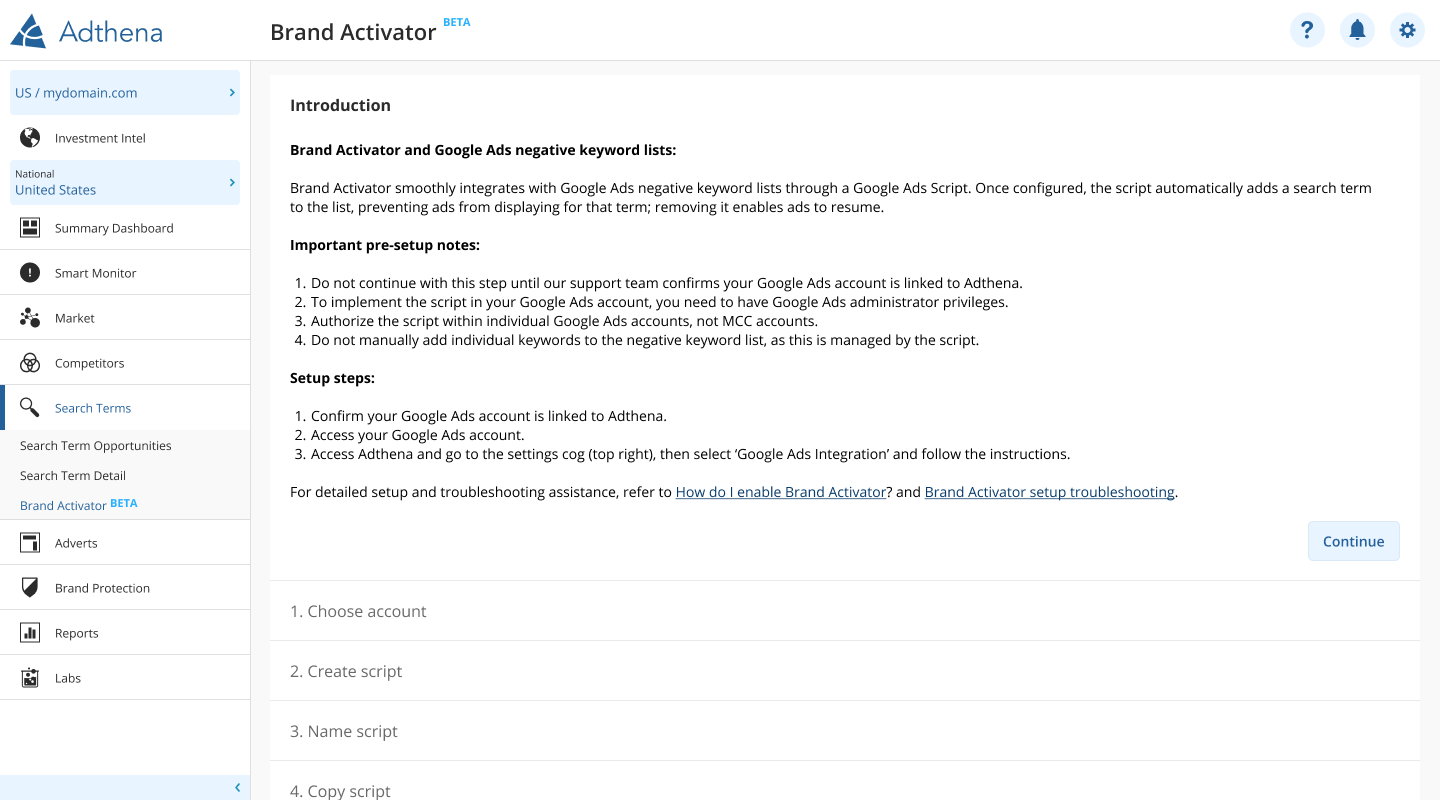
Google Ads Scripts can be intimidating (permissions, linkage, account context). The stepper breaks setup into clear, sequential steps with pre-setup guidance and support links.
- Progressive disclosure to reduce cognitive load
- Clear prerequisites to prevent mid-flow failures
- Designed for real-world customer success onboarding
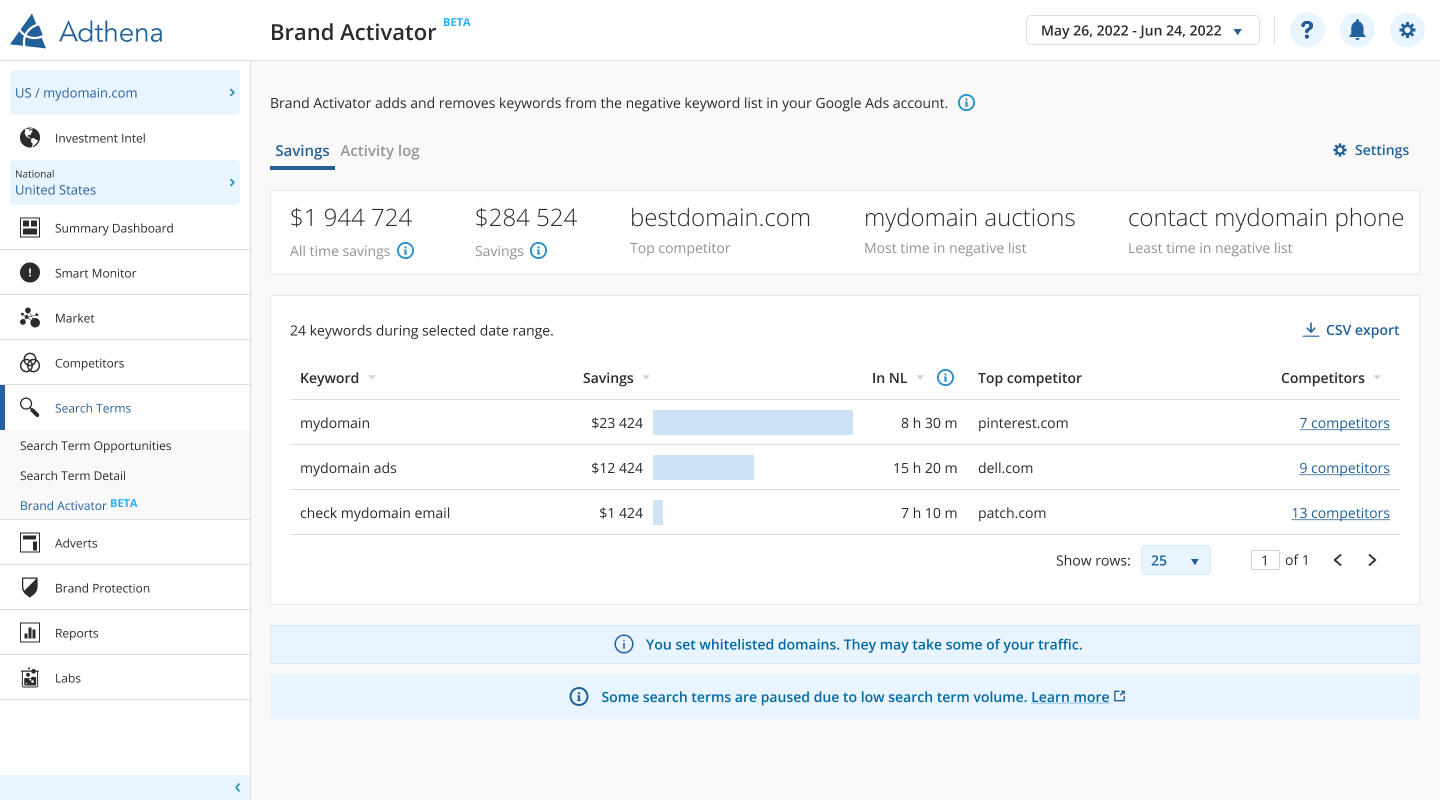
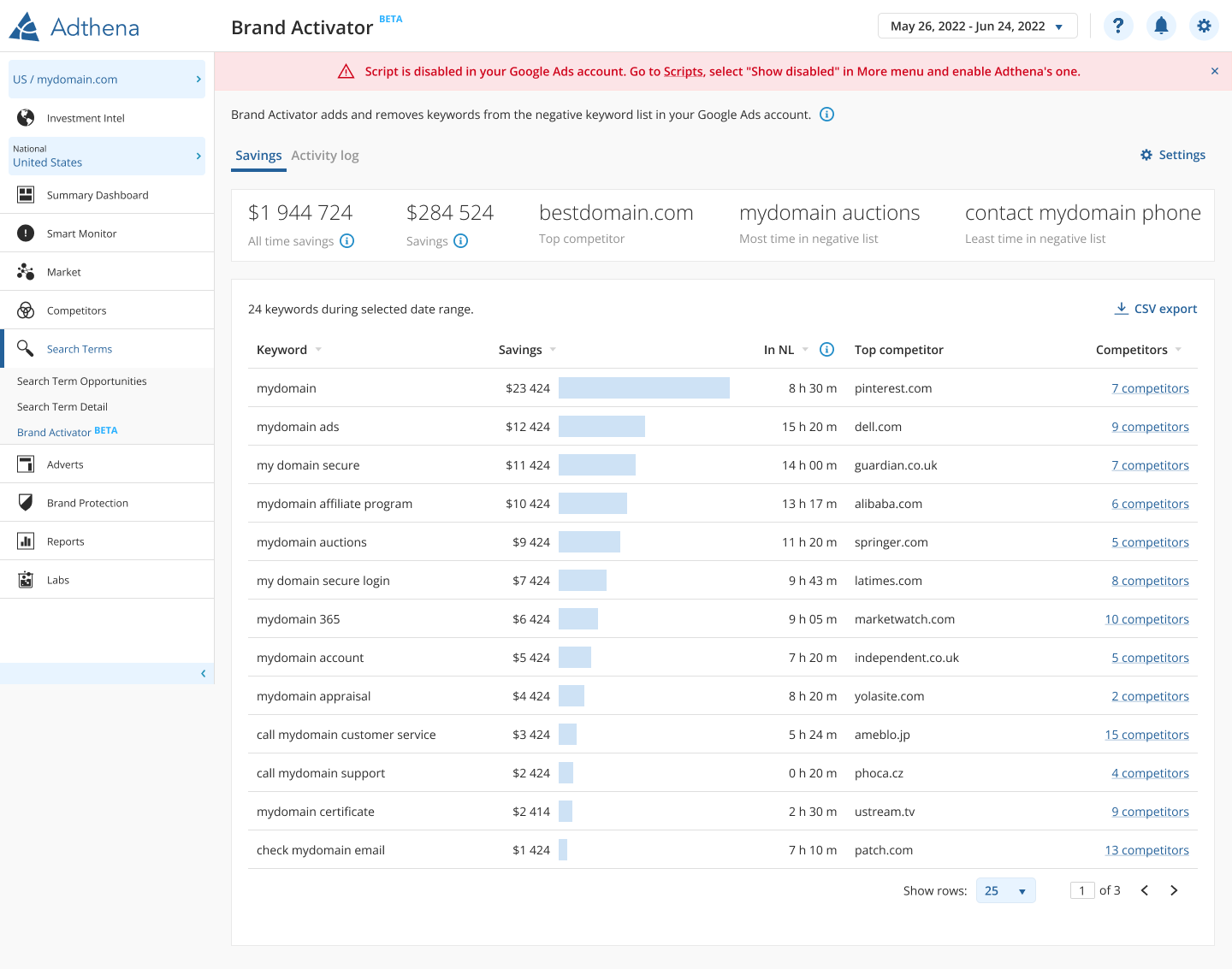
2) Savings dashboard (value + confidence)
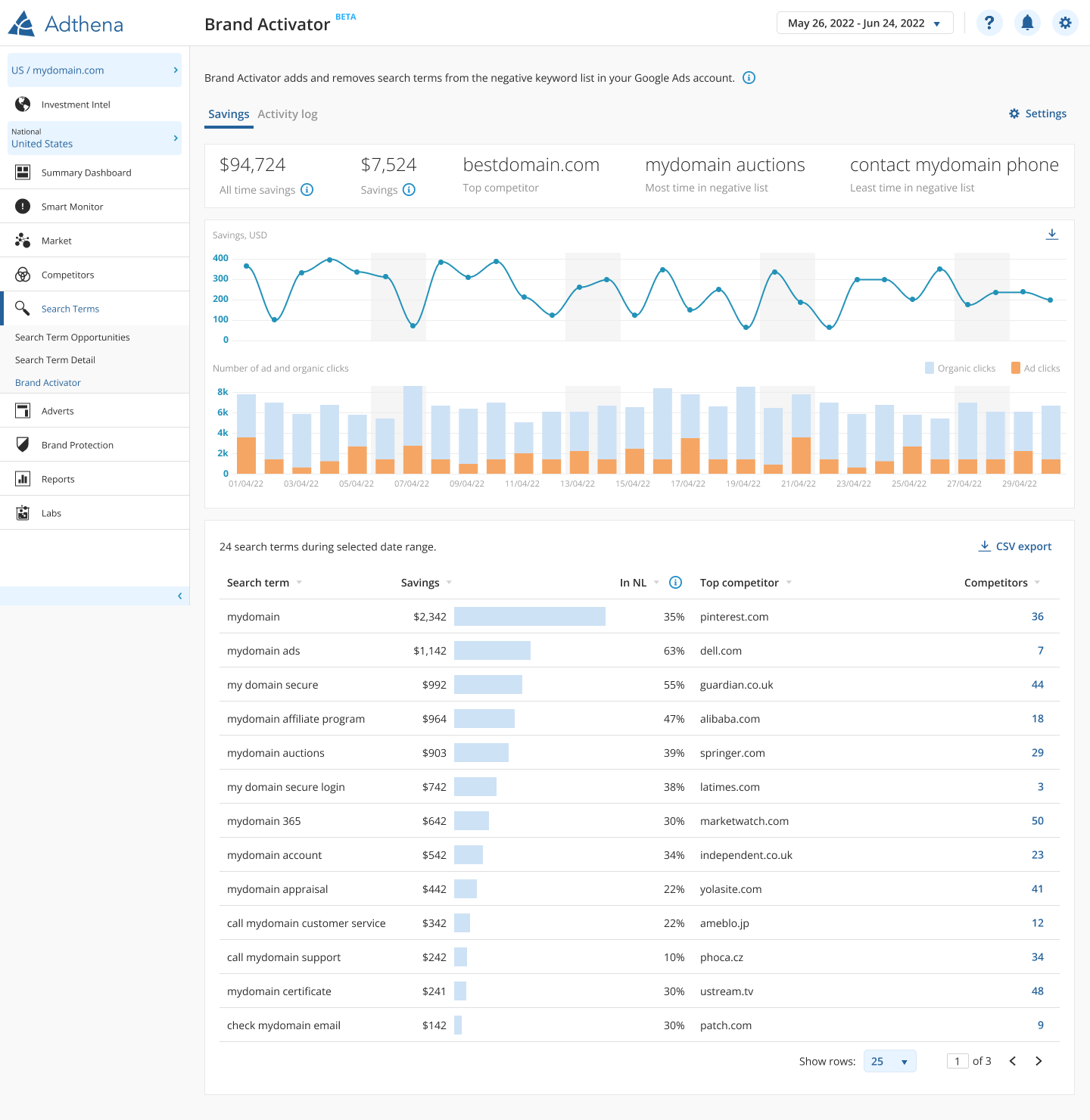
Automation needs proof. The dashboard surfaces savings KPIs, trends, and term-level details so teams can validate impact and sanity-check that organic traffic is capturing the reduced ad traffic.
- KPI summary + trends for quick reporting
- Drill-down by term and competitor context
- Exports for stakeholders and governance
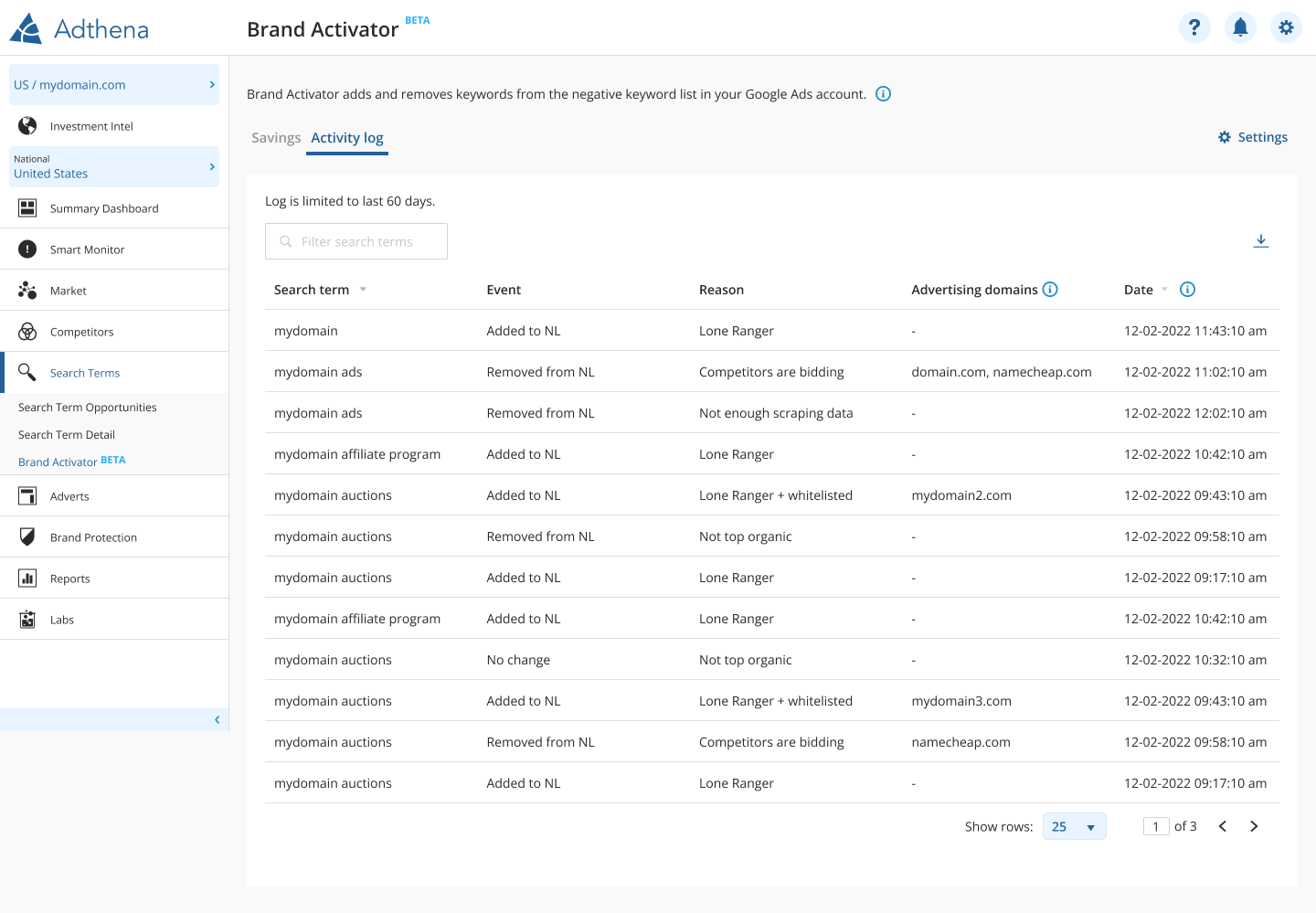
3) Activity log (audit + troubleshooting)
Trust comes from explainability. The activity log records what was added/removed, the reason, and which domains triggered the decision — so teams can troubleshoot quickly and keep an audit trail.
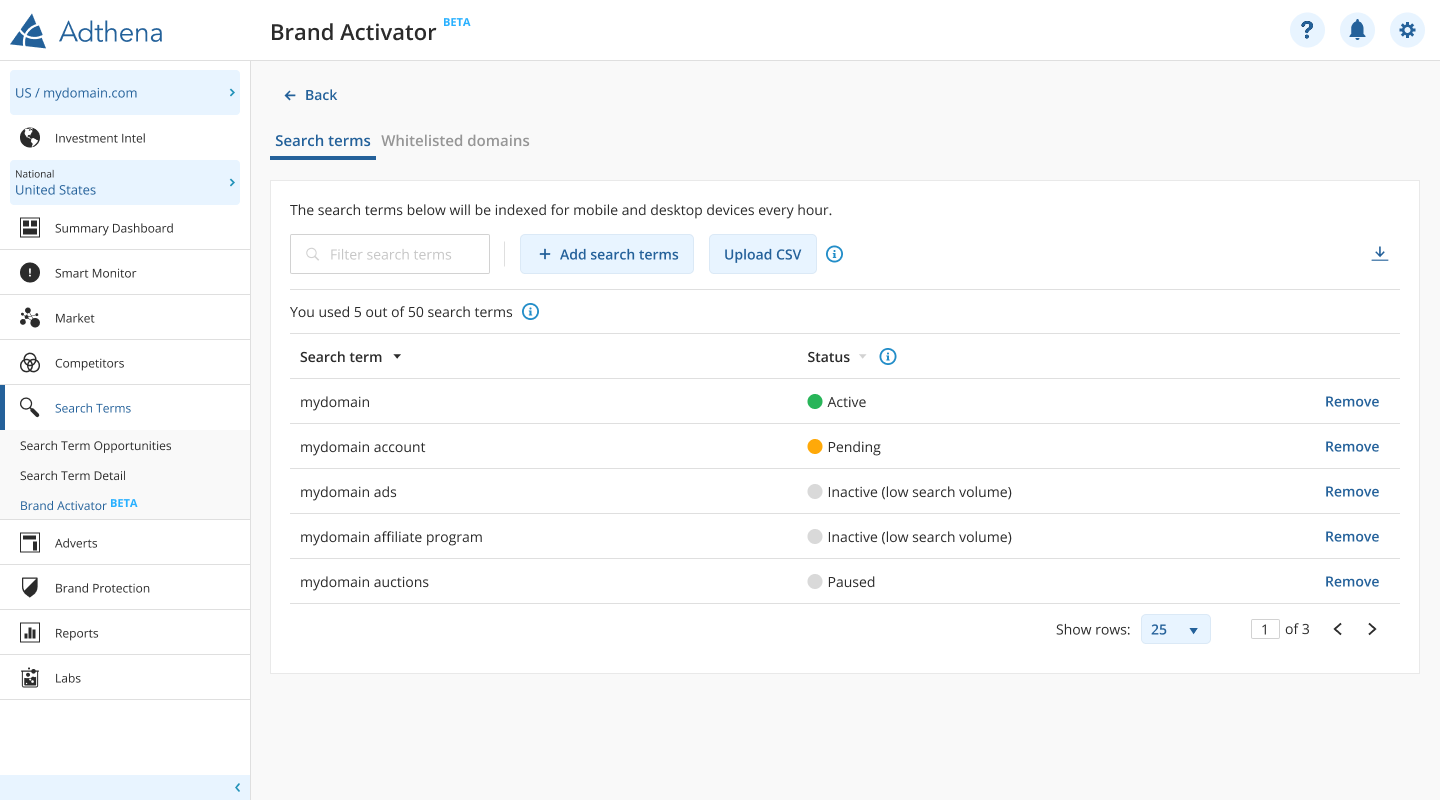
Managing brand terms
Customers needed control without complexity: add terms, upload CSVs, and understand term-level state at a glance (active/pending/paused/inactive).
Iterations and feature growth
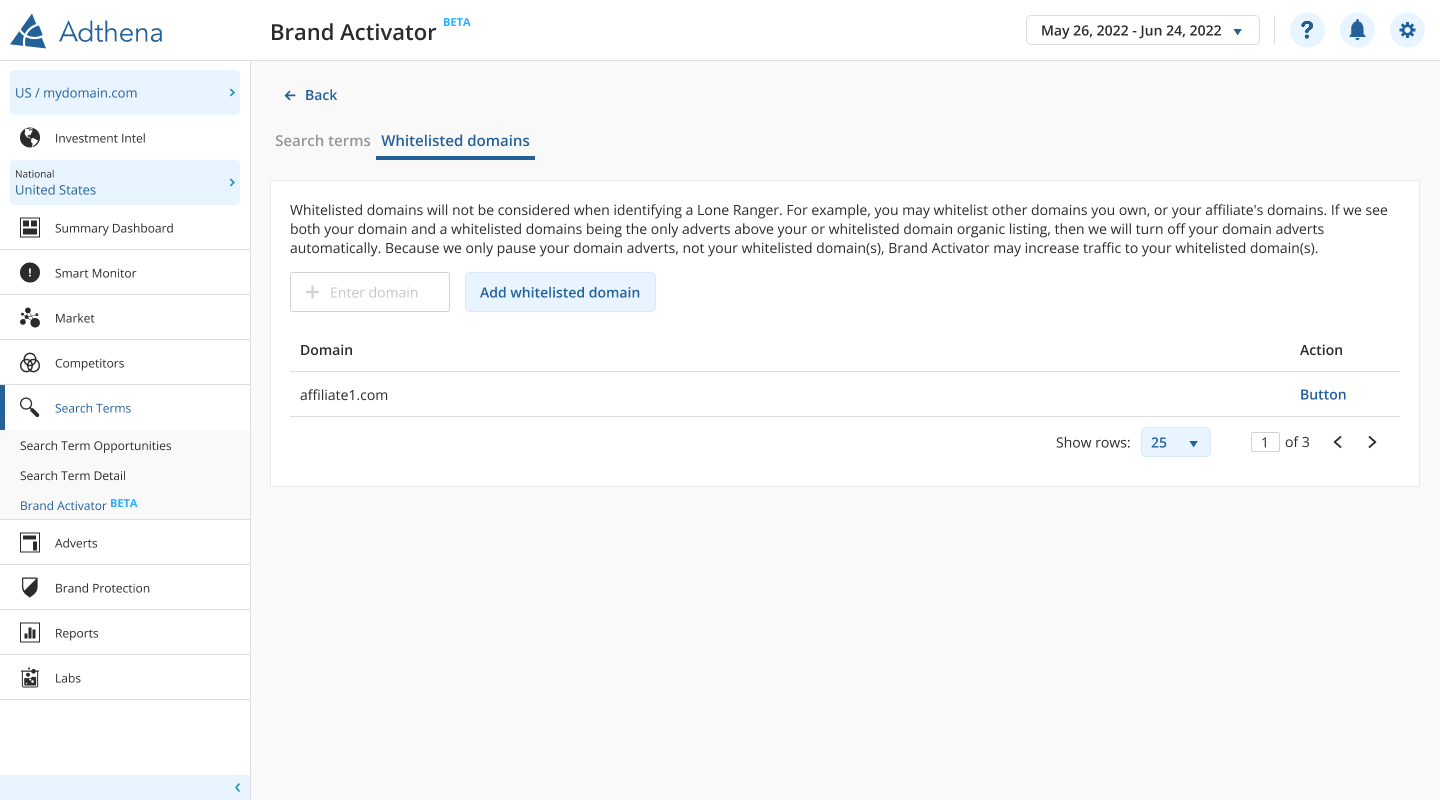
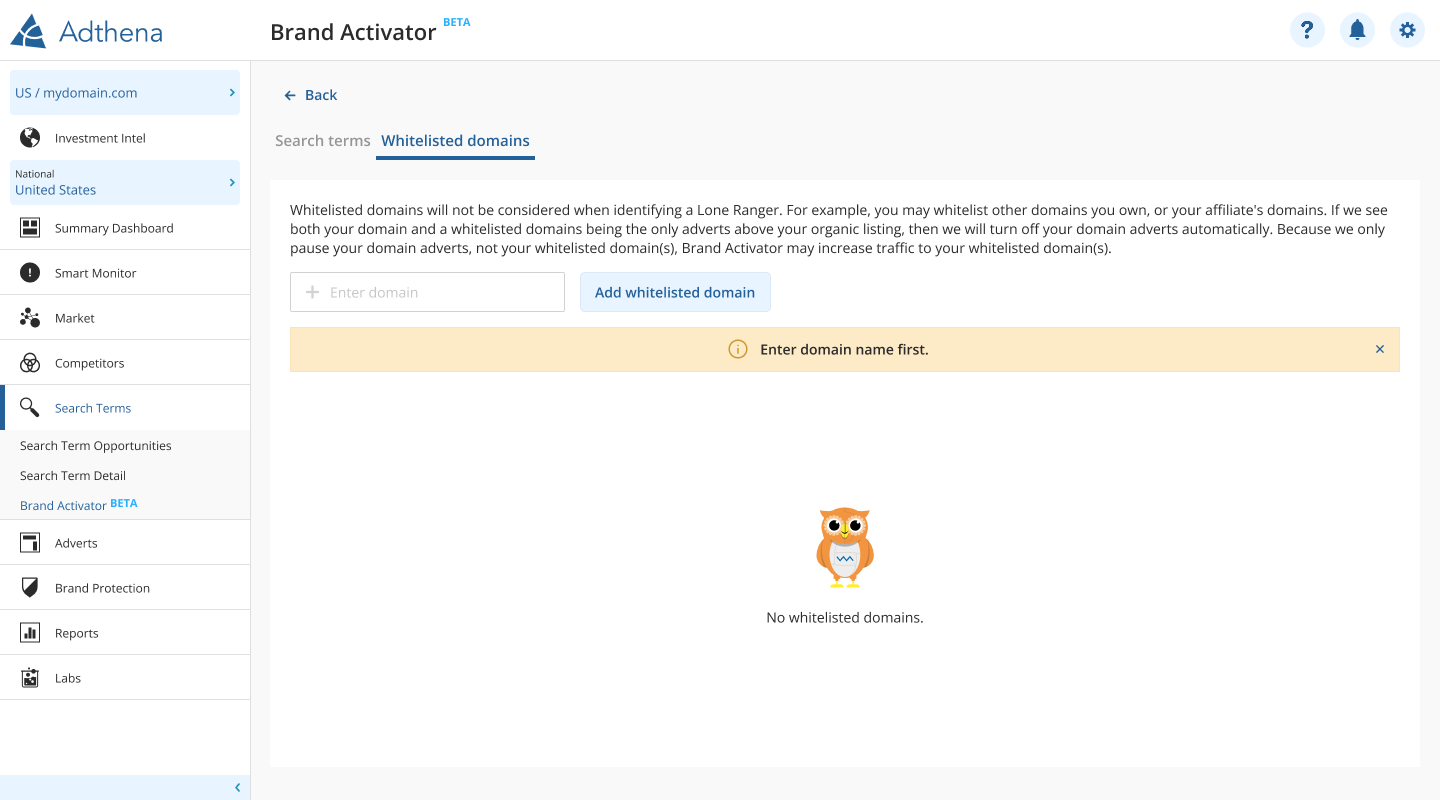
Whitelisted domains
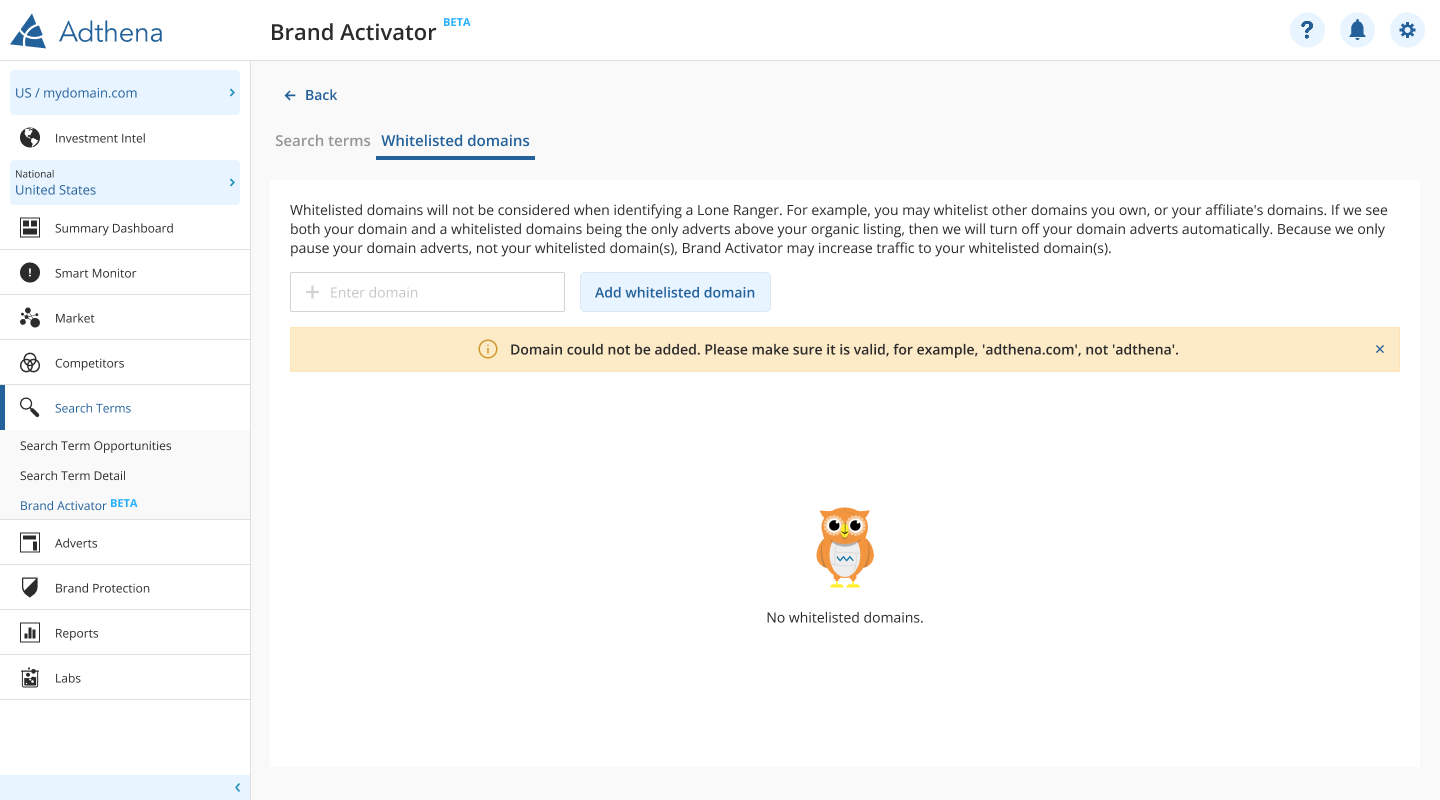
Some customers have multiple domains or affiliates. Whitelisting prevents those domains from being treated as competitors while keeping the “lone ranger” logic correct.
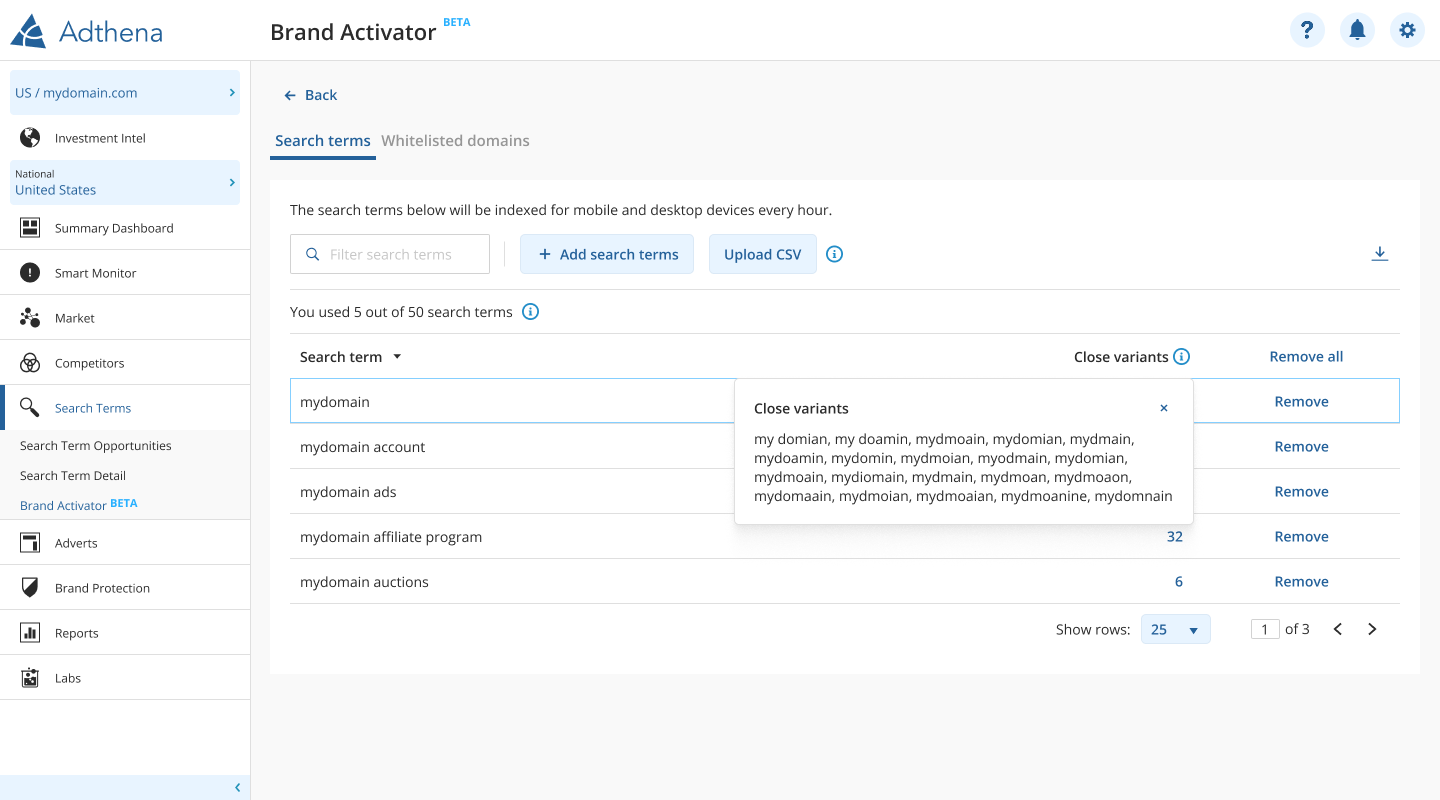
Close variants
To prevent “near-miss” terms from still triggering ads, we introduced close variant handling with a transparent preview.
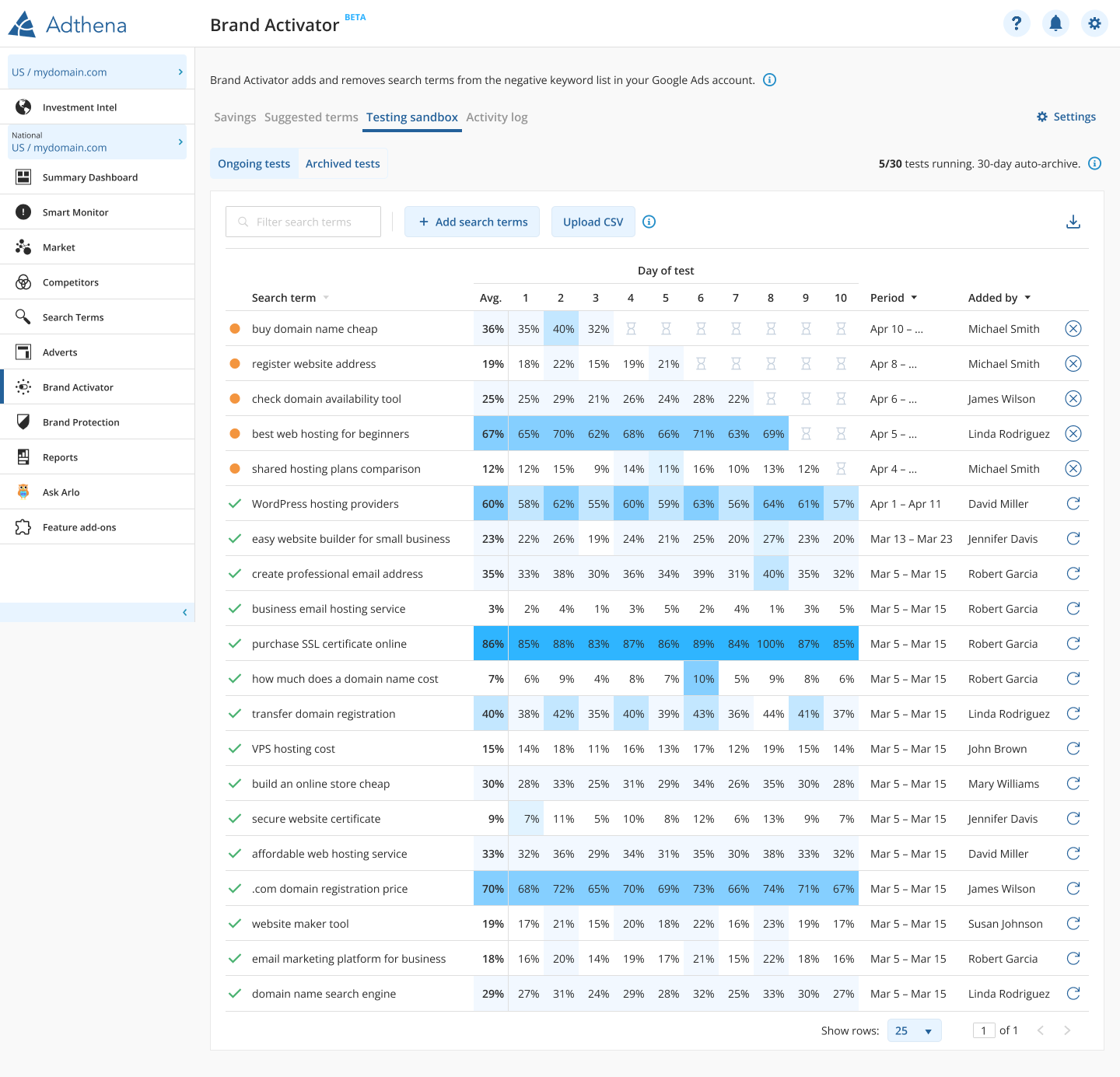
Suggested terms + 10-day testing
To scale adoption, we added automated candidate discovery and a time-bound test workflow that validates terms before relying on automation.
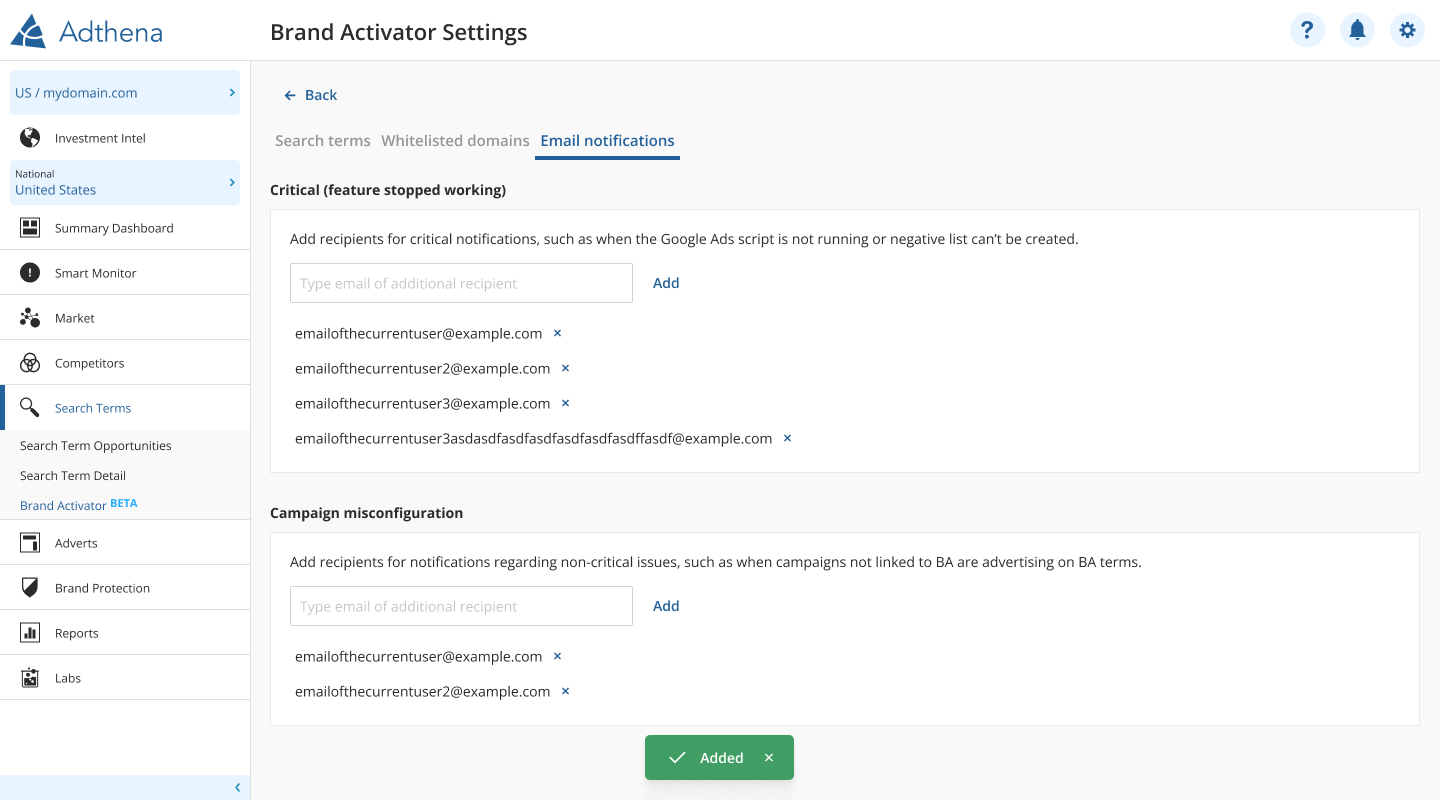
Email notifications
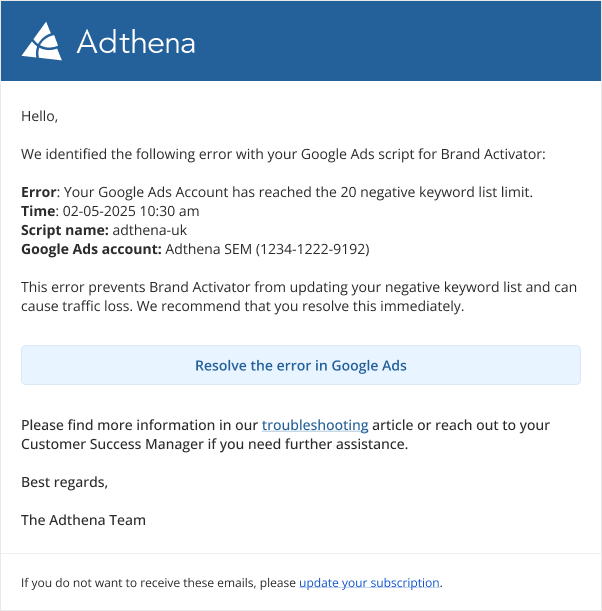
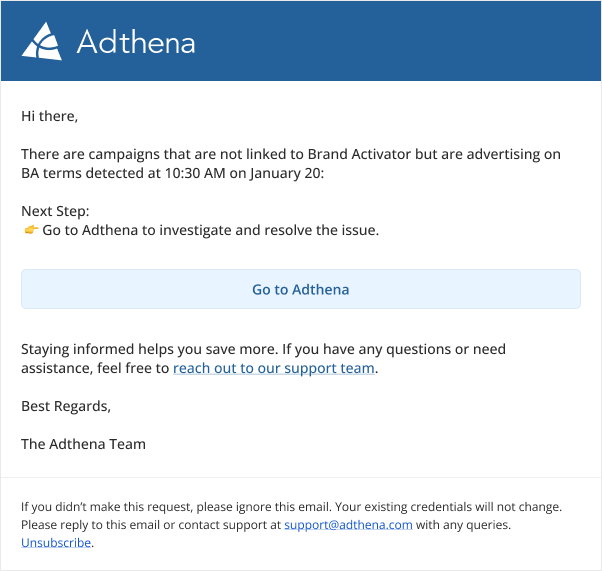
Notifications reduce the need for constant monitoring and help teams respond quickly to critical failures (e.g., script issues) and misconfigurations.
Reliability and UX states
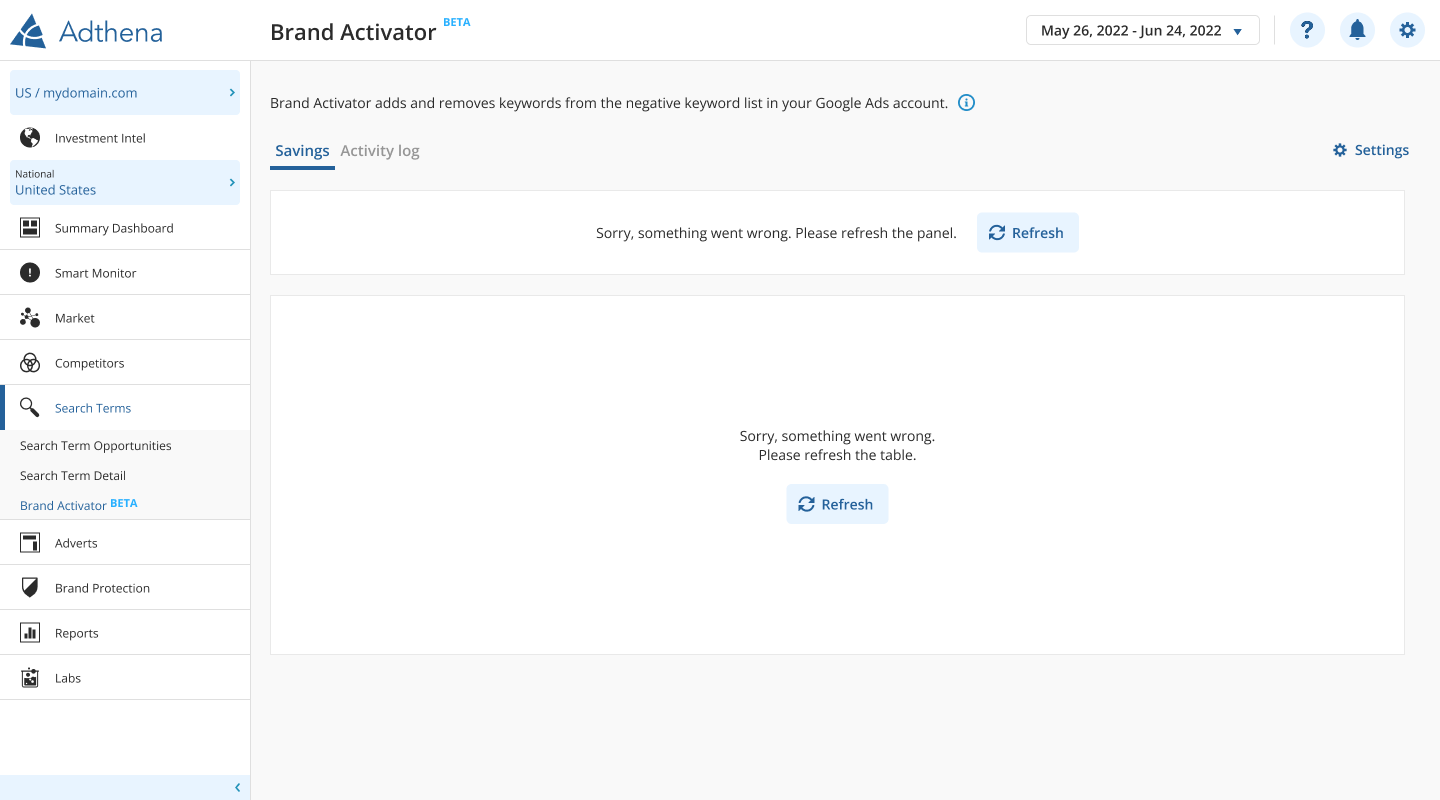
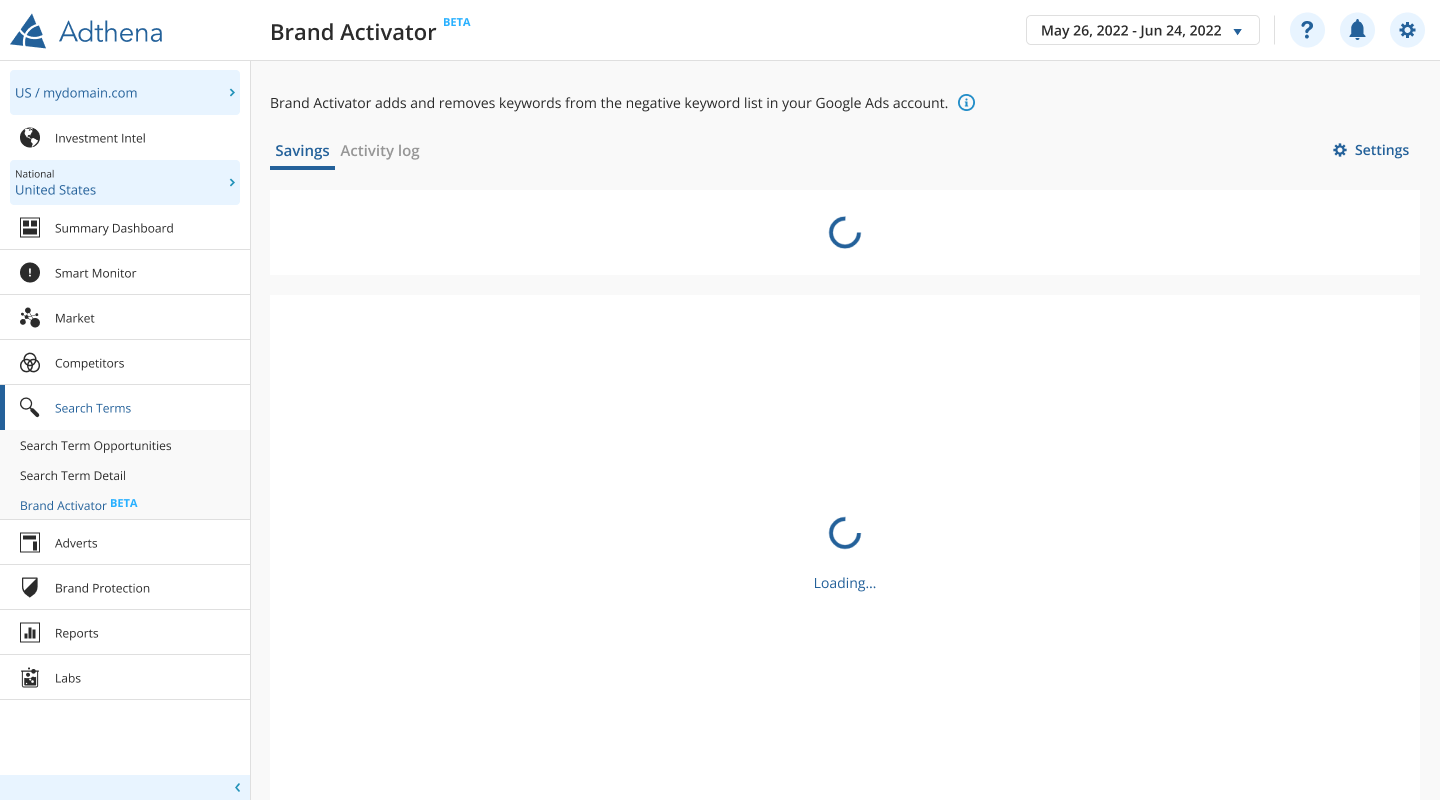
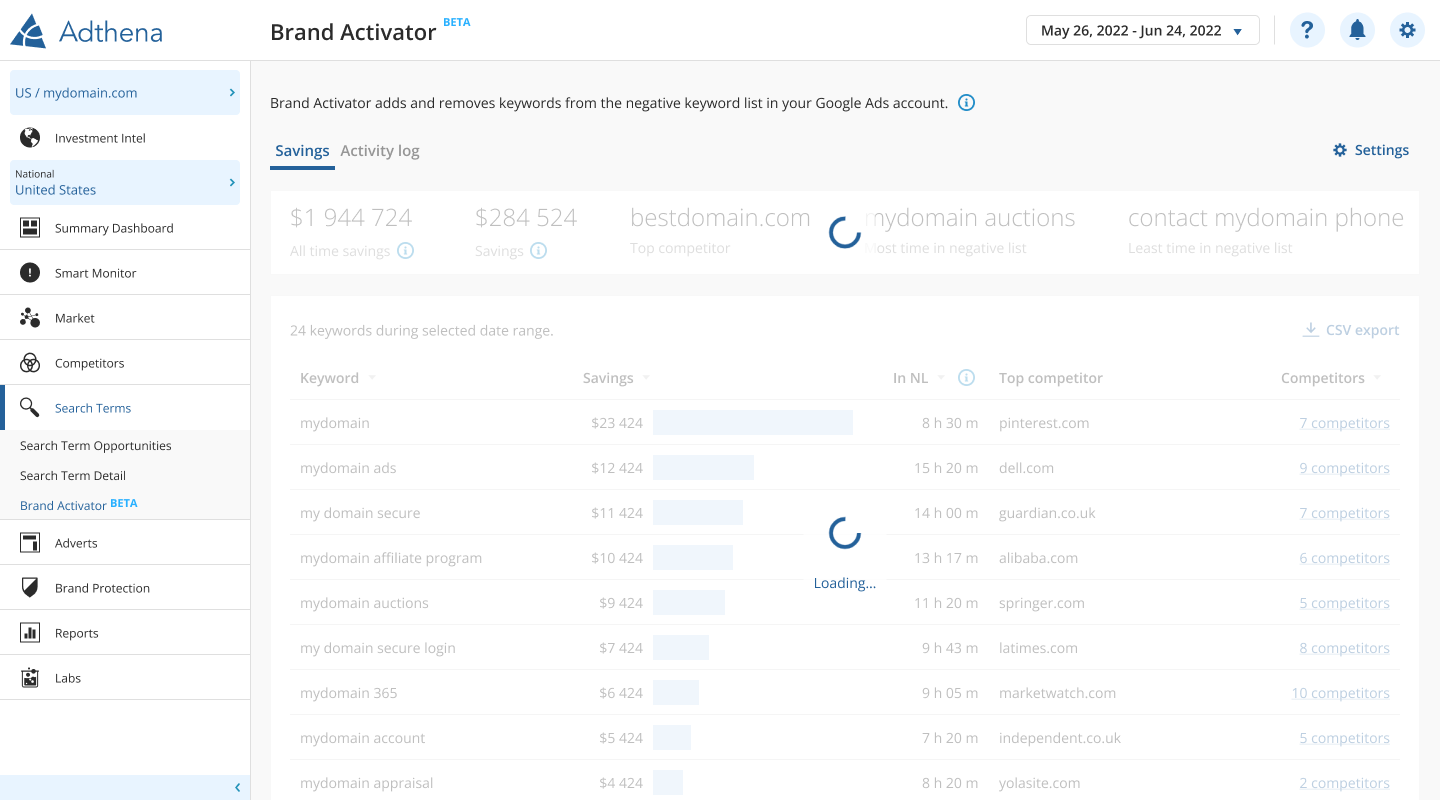
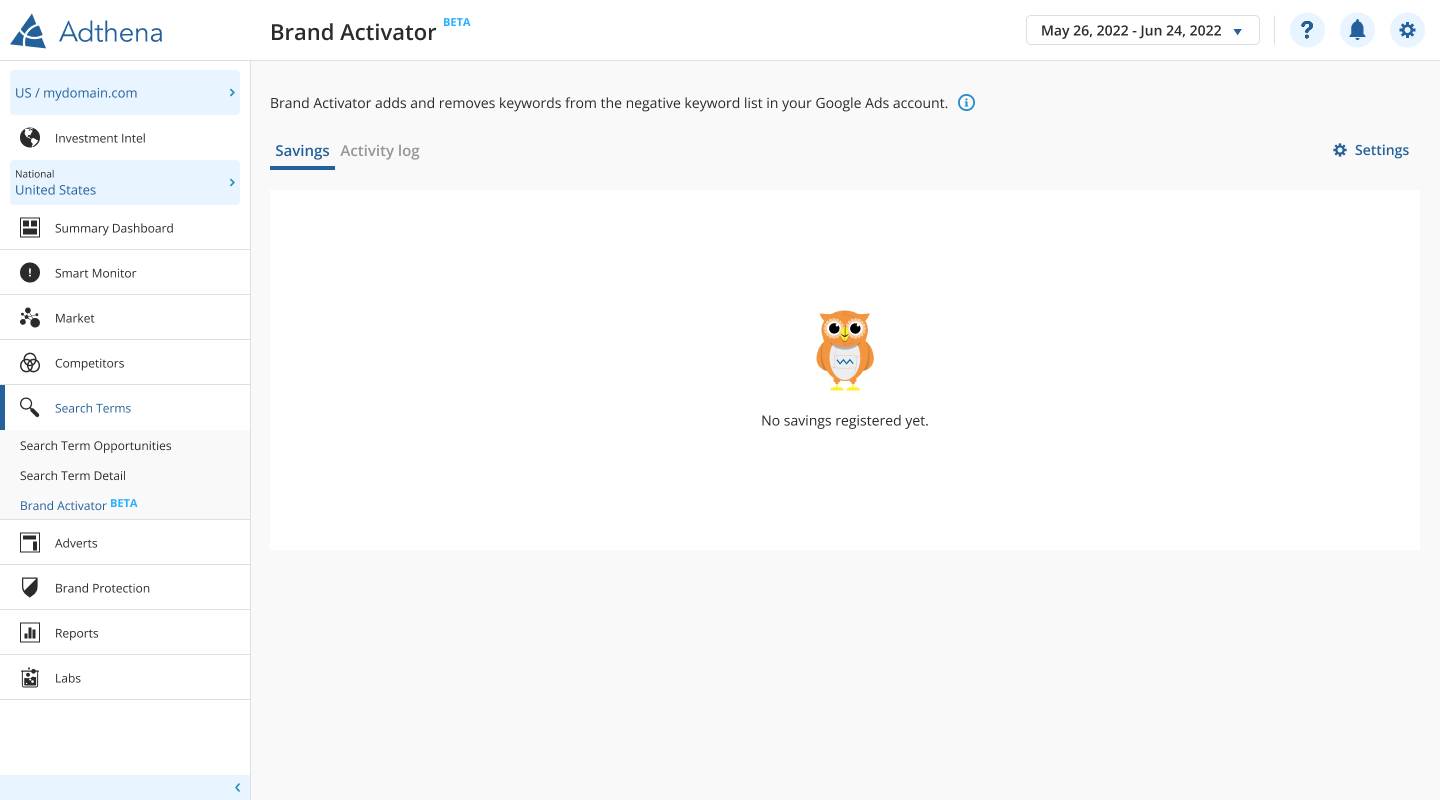
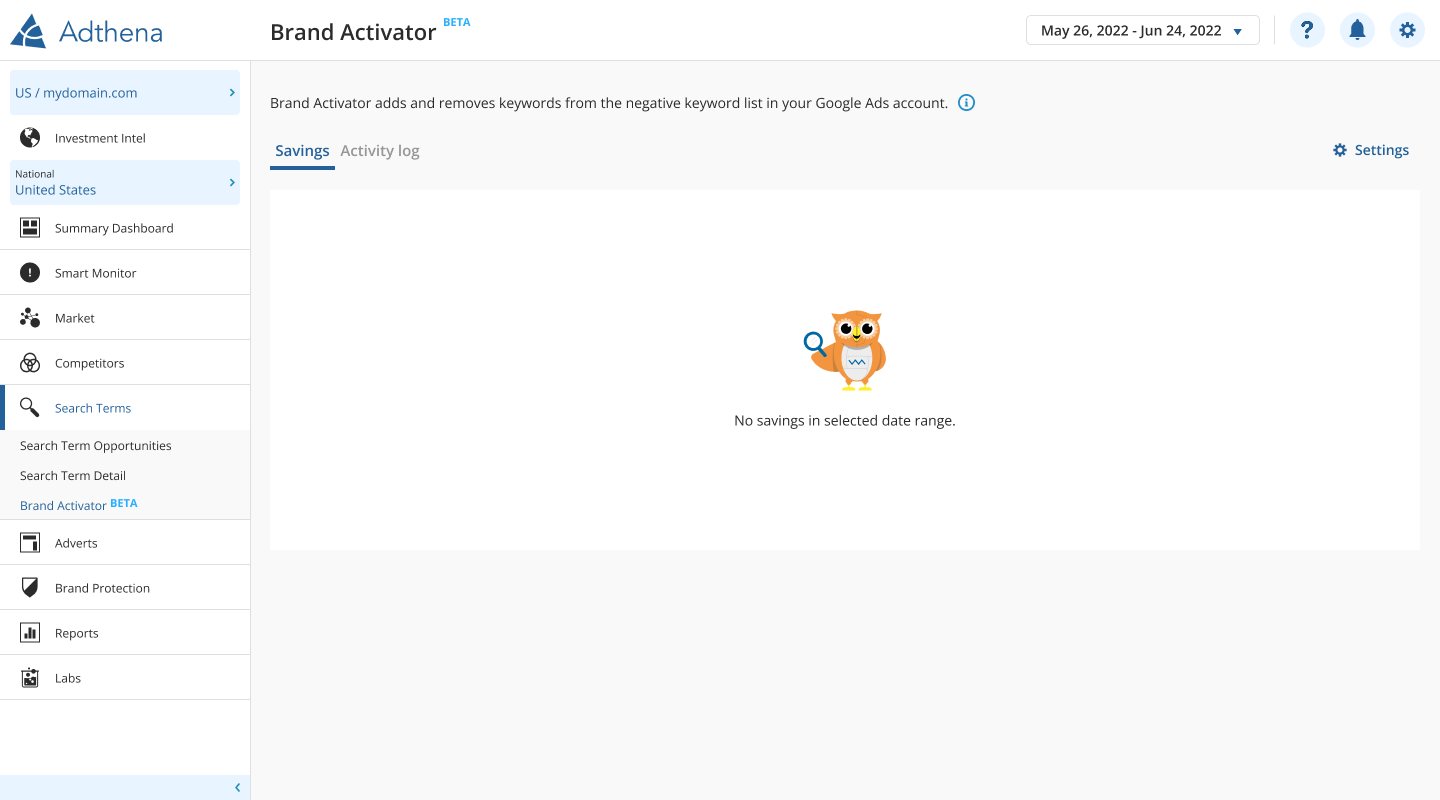
We treated reliability UX as a core feature: actionable banners, meaningful loading behavior, scoped recovery actions, and clear empty states reduced uncertainty and support overhead.
What this demonstrates
UX framing
Automation is only valuable if users trust it — so the product shipped with setup guidance, clear status, explainable decisions, and robust recovery states.
Iterative delivery
The feature evolved through customer needs: whitelisting, close variants, suggested-term testing, and notifications — each adding control, clarity, or scalability.